
Thumble Features: Complete AI Thumbnail Tool Breakdown
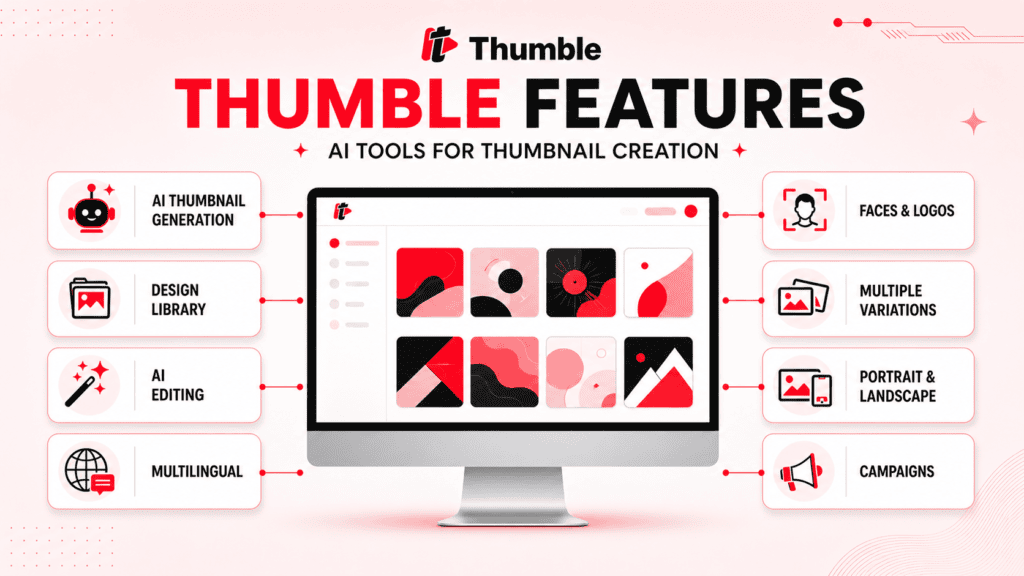
Thumble combines AI thumbnail generation, design inspiration, editing, branding, and variation creation in a web-based platform. It is built for YouTubers, marketers, influencers, agencies, and businesses that want to produce video thumbnails without designing every concept manually.
This guide examines the available Thumble features in detail, explains which capabilities depend on the selected plan, and identifies specifications that have not been confirmed publicly.
Thumble Feature Overview
| Feature | What it does | Important consideration |
|---|---|---|
| Idea-to-thumbnail generation | Creates a design from a topic or basic description | The output still requires human review |
| Thumbnail design library | Provides existing designs for inspiration | The exact number of templates has not been independently confirmed |
| AI thumbnail editing | Modifies an imported or generated image | The available editing controls are not fully documented |
| Multiple variations | Produces different concepts for one video | Generations may consume additional credits |
| Face importing | Adds a person to thumbnail designs | Plan limits may apply |
| Logo and graphic uploads | Adds branding elements | Useful for business and client projects |
| Portrait and landscape layouts | Supports vertical and standard video formats | Exact export dimensions are not publicly specified |
| Multilingual creation | Supports designs for different languages and regions | Generated text should be checked carefully |
| Campaign organization | Groups related thumbnail projects | Campaign limits depend on the plan |
| Multiple AI options | Provides different generation choices | Full access requires Pro or All-Inclusive |
| Team access | Supports collaborative use | Listed as a Pro feature |
| Commercial license | Permits thumbnail services for clients | Not included with Elite |
| Reseller license | Permits eligible buyers to sell software access | Separate from commercial rights |
Thumble’s main value is not a single feature. It is the combination of several thumbnail tasks in one workflow.
Generate Thumbnails From a Topic or Idea
Users can begin with a video topic, concept, or basic creative direction.
Thumble uses the information to generate a thumbnail without requiring the user to build the entire layout manually. The product materials state that detailed prompts are not required.
This feature may help when:
- You know the video topic but not the visual direction.
- You want several concepts before choosing a design.
- You lack experience with advanced image-editing software.
- You need a starting point for further customization.
- You create content frequently and want to reduce repetitive setup work.
The AI does not understand your audience as well as you do. A generated design may look polished while failing to communicate the most important idea in the video.
Review whether the thumbnail:
- Represents the video accurately
- Remains understandable at a small size
- Uses readable text
- Has a clear focal point
- Avoids unnecessary visual clutter
- Matches your channel or brand
AI generation should be treated as the beginning of the creative process rather than an automatic final result.
Thumbnail Design Library
Thumble includes a library of existing thumbnail designs that users can browse for inspiration.
Instead of starting from a blank page, you can select a suitable style and adapt it to your own topic.
The vendor describes the library as containing thousands of designs. Another plan description refers to a 1,000-item library. Because the public descriptions use different figures, buyers should confirm the current library size inside the product.
How the library may help
A design library can make it easier to study:
- Subject placement
- Text hierarchy
- Color contrast
- Background composition
- Facial positioning
- Graphic elements
- Different niche styles
The library is most useful as a starting point. Copying another creator’s thumbnail too closely can create branding and intellectual-property concerns.
Winner-Sourced Design Inspiration
Thumble is promoted as using successful thumbnail ideas as inspiration for new designs.
The intended workflow is to identify visual patterns that already attract attention and use AI to create a new thumbnail based on those patterns.
This does not mean that another creator’s thumbnail should be reproduced exactly. The vendor states that Thumble generates custom content rather than directly cloning protected designs.
That is a vendor claim, not an independent copyright determination. Users remain responsible for avoiding unauthorized use of:
- Copyrighted photos
- Protected logos
- Trademarked characters
- Celebrity images
- Another creator’s original artwork
- Designs copied too closely from existing content
Using a visual concept for inspiration is different from duplicating a finished design.
AI Thumbnail Editing
Thumble can edit an existing thumbnail with AI.
Users can import a ready-made image and request changes rather than generating an entirely new design. This may be useful when the existing thumbnail has a strong foundation but needs a different background, layout, visual style, or subject treatment.
Potential uses include:
- Updating an older thumbnail
- Creating a new variation from an existing design
- Changing the visual direction without starting again
- Reworking a client-provided image
- Adapting a landscape concept to a portrait layout
- Adding branding elements
The public information does not provide a complete list of editing commands or controls. It is unclear how precisely users can select, mask, remove, or reposition individual elements.
Buyers who require detailed pixel-level editing may still need a separate image editor.
Multiple Thumbnail Variations
Thumble can create several versions of a thumbnail for the same video.
Variations may differ in:
- Composition
- Subject placement
- Background
- Color
- Text treatment
- Facial expression
- Design style
- Creative angle
This can help creators compare ideas before choosing a final image.
However, creating variations is not the same as testing them with a real audience. The available information does not confirm that Thumble directly publishes thumbnails to YouTube, runs YouTube experiments, or imports click-through-rate data.
It appears to help create the designs used in an experiment. You may need to manage the actual testing through YouTube or another analytics platform.
Face Importing and Face-Based Thumbnails
Faces are commonly used to communicate emotion and create a clear focal point in video thumbnails.
Thumble allows users to import faces and place them in generated designs. The vendor also promotes the ability to create face-based thumbnails without arranging a new photography session for each image.
This may be useful for:
- Creator-led channels
- Personal brands
- Coaches and consultants
- Interview content
- Reaction videos
- Educational channels
- Client projects
The Elite sales preview has listed a limit of up to 15 imported faces, while higher plans offer more capacity. Confirm the current limit before purchasing.
AI-generated faces should be reviewed carefully. Check for distorted features, inconsistent identity, unnatural expressions, and unwanted changes to the subject’s appearance.
Only upload images you have permission to use.
Logos, Graphics and Branding
Users can upload logos and other graphics to customize thumbnail designs.
This feature can help businesses and agencies maintain recognizable brand elements across multiple videos.
Possible branding elements include:
- Company logos
- Product images
- Channel graphics
- Icons
- Branded shapes
- Campaign artwork
- Client assets
Adding a logo does not automatically create a consistent design system. Users still need to control its size, placement, contrast, and relationship with the main subject.
Businesses should also review the vendor’s privacy and data-handling terms before uploading confidential or unreleased brand assets.
Portrait and Landscape Formats
Thumble supports both portrait and landscape layouts.
Landscape designs are suitable for standard YouTube videos and other widescreen content. Portrait designs can be used for Shorts and vertical video platforms.
| Format | Typical use |
| Landscape | Standard YouTube videos, webinars and widescreen content |
| Portrait | Shorts, vertical social videos and mobile-first content |
The exact export dimensions, supported file types, resolution options, and maximum file size have not been clearly published.
Users should verify that exported images meet the technical requirements of their intended platform.
Multilingual Thumbnail Creation
Thumble is promoted as supporting different languages and locations.
This can help creators build thumbnails for:
- Regional channels
- Multilingual campaigns
- International businesses
- Local-language content
- Translated versions of the same video
AI-generated text should always be reviewed by someone who understands the language. A grammatically correct translation may still sound unnatural or fail to communicate the intended message.
Also check whether the selected font displays every character correctly.
Campaign Organization
Thumble uses campaigns to organize related thumbnail work.
A campaign may help group:
- Designs for one video
- Variations of the same concept
- Thumbnails for a particular channel
- Client projects
- Content within one niche
- A series of related videos
Campaign organization may be useful for agencies and creators managing several projects.
The published Elite campaign limits have not been consistent across the available descriptions. Pro is listed with up to 30 campaigns, while All-Inclusive is presented as offering unlimited campaigns.
Confirm the Elite limit at checkout.
Multiple AI Options
Higher Thumble plans provide access to multiple AI choices.
Different AI systems may produce different styles, compositions, and interpretations of the same input. This can give users more options when one result does not fit the intended direction.
The names of every included AI model have not been clearly provided in the public text. It is also unclear whether future third-party AI charges could affect credit usage.
Elite includes limited AI access. Pro and All-Inclusive are listed as providing access to all available options.
Do not assume that access to more models automatically produces a better thumbnail. The quality of the prompt, source images, editing choices, and final review still matter.
Thumble Credits and Usage Limits
Thumble uses credits for AI functions.
The credit system is one of the most important areas to understand because it can affect the number of thumbnails, edits, and variations you can produce.
Published credit amounts
| Plan or offer | Listed credits or capacity |
| Thumble Elite | 20,000 welcome credits |
| Thumble Pro | 50,000 credits |
| Credit order bump | 50,000 additional credits |
| Unlimited order bump | Unlimited daily thumbnails |
| All-Inclusive | 50,000 welcome credits and higher listed limits |
The public information does not clearly explain:
- The credit cost of generating one thumbnail
- Whether every AI model uses the same number of credits
- The cost of editing an existing image
- The cost of producing variations
- Whether failed generations consume credits
- Whether unused credits expire
- Whether credits can be purchased later
- How credits interact with unlimited daily thumbnails
Without that information, an exact cost per completed thumbnail cannot be calculated.
High-volume users should confirm these details before choosing between Pro, the credit order bump, the unlimited option, and All-Inclusive.
Thumble Features by Plan
| Feature | Elite | Pro | All-Inclusive |
| Core AI thumbnail creation | Yes | Yes | Yes |
| Personal use | Yes | Yes | Yes |
| Design library | Yes | Yes | Yes |
| AI editing | Yes | Yes | Yes |
| Face importing | Limited | Higher limits | Listed as unlimited |
| Logo and graphic uploads | Available | Available | Available |
| Portrait and landscape formats | Yes | Yes | Yes |
| Multiple variations | Yes, within limits | Yes, within limits | Listed with higher limits |
| All AI options | No | Yes | Yes |
| Commercial-use rights | No | Yes | Yes |
| Team access | No | Yes | Yes |
| Reseller rights | No | No | Yes |
| YouTube SEO software | No | No | Tuberank Jeet Pro |
| AI faceless-video creator | No | No | Vidatia Pro |
| Reseller licenses | None | None | 70 licenses |
| Listed price | $37 | $47 upgrade | $189 bundle |
The table compares the functional differences between the plans. Visit our Thumble pricing guide for the complete cost breakdown.
Personal, Commercial and Reseller Rights
Thumble uses different licenses for different types of use.
| License | What it allows | Relevant option |
| Personal | Create thumbnails for your own content | Thumble Elite |
| Commercial | Create and sell thumbnail services to clients | Thumble Pro |
| Reseller | Sell customer access to the software | Thumble Reseller or All-Inclusive |
A commercial license does not automatically include reseller rights.
For example, a freelancer creating thumbnails for clients needs Pro. A marketer selling customer logins needs the reseller license.
The exact reseller obligations, customer-support responsibilities, and promotional restrictions should be reviewed before selling access.
See our Thumble OTO guide for a detailed explanation of the license upgrades.
Companion Products Are Not Core Features
The complete funnel includes two additional products:
Tuberank Jeet Pro
Tuberank Jeet Pro is YouTube SEO software. It is intended to support video research and optimization.
It does not add thumbnail-editing capabilities to Thumble.
Vidatia Pro
Vidatia Pro is an AI faceless-video creator. It is intended to produce narration, educational, storytelling, and promotional videos.
It complements Thumble but is not required to create thumbnails.
Buyers who already have SEO and video-production tools may not need these products. Compare the complete package in our Thumble bundle guide.
Platform Compatibility and Content Ownership
Thumble is a web application. The product FAQ states that it works on Windows and macOS.
Because it runs in a browser, no separate desktop installation is described.
The available information does not confirm:
- Supported browsers
- Minimum system requirements
- Mobile-browser support
- A dedicated mobile app
- API access
- Direct YouTube integration
- Cloud-storage integrations
- Export file types
- Maximum export resolution
The vendor states that users own the AI-generated content they create. This does not give users ownership of third-party material uploaded without permission.
Which Features Matter for Each User?
| User type | Most relevant features | Likely plan |
| Beginner YouTuber | Idea generation, library and variations | Elite |
| Influencer | Face importing, branding and multiple concepts | Elite or Pro |
| Small business | Logos, campaign organization and brand graphics | Elite for internal use |
| Freelancer | AI editing, higher limits and commercial rights | Elite plus Pro |
| Agency | Team access, campaigns and client licensing | Elite plus Pro |
| High-volume creator | More credits, all AI options and higher limits | Pro or All-Inclusive |
| Software reseller | Reseller rights and customer licenses | Reseller or All-Inclusive |
| Faceless-channel operator | Thumble plus Vidatia Pro | All-Inclusive may be relevant |
Choose a plan based on the features and license you need, not the number of products included.
Important Feature Limitations
A useful evaluation should include what Thumble does not clearly provide.
No confirmed direct YouTube testing
Thumble creates variations, but direct publishing, automated A/B testing, and performance reporting have not been verified.
Credit costs are unclear
The number of completed thumbnails available from 20,000 or 50,000 credits cannot be calculated from the public information.
Export specifications are not published
File formats, resolution, compression, and maximum export size have not been confirmed.
AI model names are unclear
Higher plans include all AI options, but the complete list of models is not stated clearly.
Advanced manual editing may require another tool
Thumble offers AI editing, but detailed masking, layer control, typography adjustment, and pixel-level retouching have not been documented.
AI output may contain errors
Faces, text, hands, objects, and layouts can require correction. Human review remains essential.
Marketing performance is not guaranteed
Thumble cannot guarantee:
- More clicks
- Higher click-through rates
- Increased views
- Subscriber growth
- Search rankings
- Sales
- Client revenue
- Reseller income
A thumbnail is only one part of a successful video strategy.
Questions to Ask Before Buying
Confirm the following details before choosing a plan:
- How many credits does each generation use?
- Do edits and variations consume credits?
- Do failed generations use credits?
- Do unused credits expire?
- Which AI models are included?
- What are the exact Elite campaign and daily limits?
- Does unlimited creation still require credits?
- Which export formats and resolutions are available?
- Can Thumble publish directly to YouTube?
- Does it provide performance analytics?
- Do team members receive separate logins?
- What are the reseller support obligations?
- Are future AI-provider charges included?
- Which features are covered by the 30-day guarantee?
If a feature is essential to your workflow and the answer is not visible at checkout, ask the vendor before purchasing.
Final Assessment of Thumble Features
Thumble’s strongest capabilities are its focused thumbnail workflow, idea generation, design library, AI editing, branding tools, and ability to create multiple variations.
Elite is the most relevant plan for personal thumbnail creation. Pro adds the higher limits, AI options, team access, and commercial rights needed by professional users. All-Inclusive expands the offer with reseller rights, YouTube SEO, and AI video creation.
The main uncertainties involve credit consumption, exact Elite limits, export specifications, AI-model names, and direct YouTube integration. These details matter more to high-volume and professional buyers than to occasional personal users.
Thumble may reduce the amount of manual setup involved in creating thumbnails, but it does not remove the need for creative judgment or quality control.
For a broader product evaluation, read our independent Thumble review. Additional answers are available in the Thumble FAQ.